Fair Value Gaps
The Fair Value Gaps (FVG) feature is a powerful tool that automatically detects and displays price imbalances on your chart. These gaps occur when there is a strong, one-sided move
Overview#
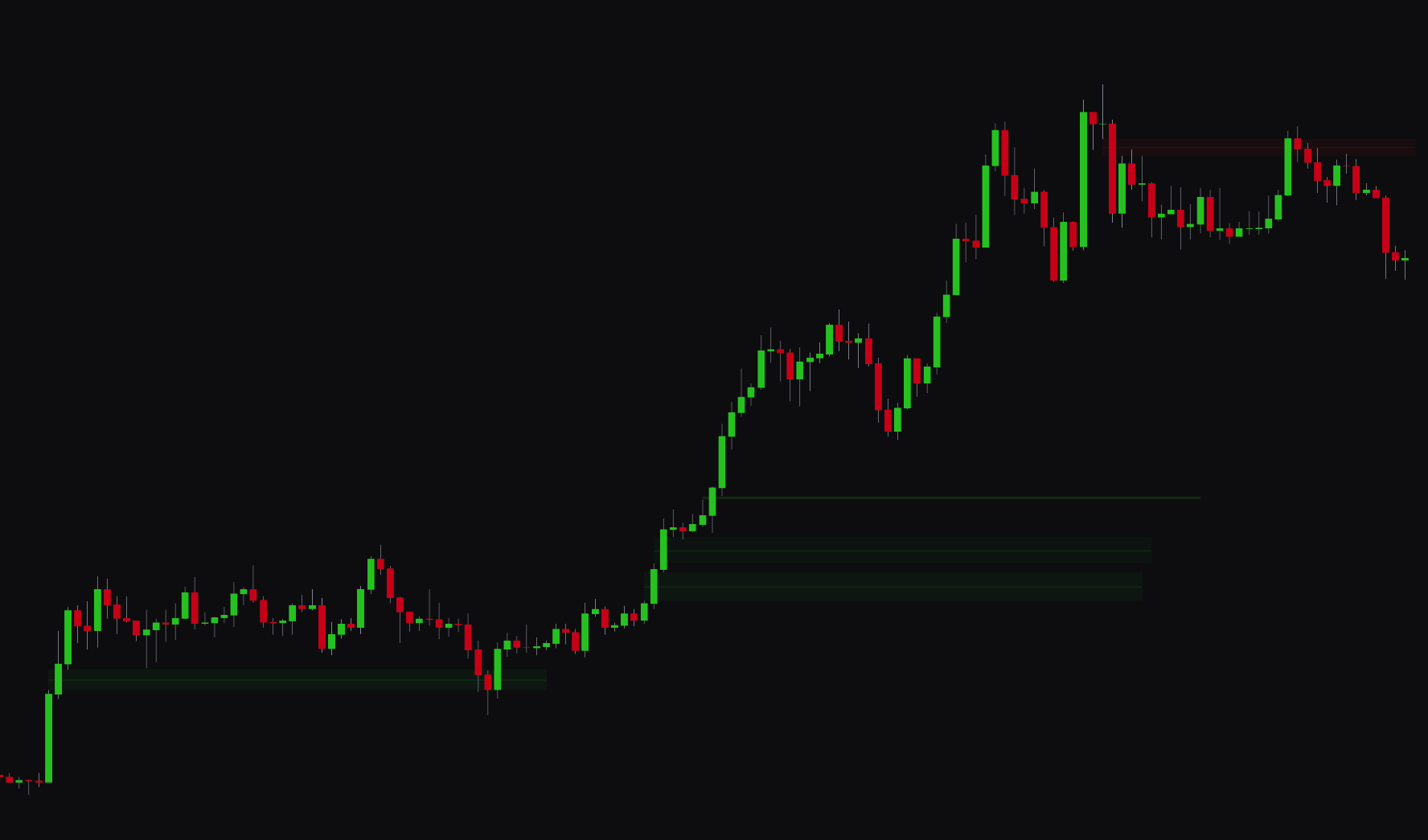
The Fair Value Gaps (FVG) feature automatically detects and displays price imbalances on your chart. These gaps occur when there is a strong, one-sided move in the market, leaving behind an inefficient price area that often draws future price action. FVGs are levels to watch, since they often act as support or resistance zones where reversals can occur.
The indicator analyzes price action across three candles to identify these imbalances. It also includes a Quality Filter that uses volume and order flow (delta) analysis so that only the more significant, higher-confidence gaps are displayed.
The tool also has logic for Mitigation (when price returns to fill the gap) and can automatically identify Inverse Fair Value Gaps, which are created when a previous FVG is broken and flips its role. For example, a bullish FVG becomes a new resistance area.
Settings#
You can customize Fair Value Gaps detection to fit your analysis style, with options for multi-timeframe analysis and visual filtering.
| Setting | Description |
|---|---|
| Fair Value Gaps 1 & 2 | Enables and configures up to two different timeframes for FVG detection, allowing for multi-timeframe analysis. |
| Mitigation Mode | Controls how FVGs are handled when price interacts with them. Close removes the FVG when price closes through it, while Reduce shrinks the zone as it gets filled. |
| Inverse Fair Value Gaps | When enabled, the indicator automatically converts a mitigated (broken) FVG into an "Inverse FVG," which often acts as a new support or resistance level. |
| Extend Box | When enabled, FVG boxes automatically extend to the current bar until they are mitigated. You can set the Maximum Extension Periods to control how long they remain on the chart. |
| Quality Filter | Enables a quality filter to remove lower-probability FVGs. You can set the Quality Filter Level to control how strict the filtering is based on volume and order flow. |
| Key Level | Displays a key price level within each FVG, which is always set to the midpoint (50%) of the gap. |
| Adaptive Transparency | When enabled, the transparency of the FVG boxes adjusts based on their significance. More significant gaps appear more solid and less transparent. |
| Show Text / Text Color | Controls the display, size, and color of the text labels within the FVG boxes. |
Best practices & usage#
- Identify reversal zones: Fair Value Gaps can help you spot potential turning points in the market. Look for buying opportunities as price retraces into a bullish (up-side) FVG, and selling opportunities as price moves into a bearish (down-side) FVG.
- Use multiple timeframes for confirmation: For higher-confidence setups, enable both Fair Value Gaps 1 and Fair Value Gaps 2 on different timeframes. A confluence of FVGs from multiple timeframes at the same price level marks a strong support or resistance zone.
- Filter for quality: We recommend you keep the Quality Filter enabled with a level of 3 or higher. This helps you filter out weaker, less reliable gaps and focus on the more significant areas of price imbalance.
- Watch for Inverse FVGs: An Inverse Fair Value Gap is a reversal signal. When a support (bullish) FVG is broken and flips to become resistance, it often provides an entry for a continued move down, and the reverse for a broken supply FVG.