Clarity AI
Clarity AI is an advanced, AI-powered engine that analyzes market patterns to score the quality and conviction of trade signals. It serves as a powerful confirmation tool, helping
Overview#
Clarity AI is an AI-powered engine that analyzes market patterns to score the quality and conviction of trade signals. It works as a confirmation tool, helping you filter out low-probability setups and focus on the strongest setups.
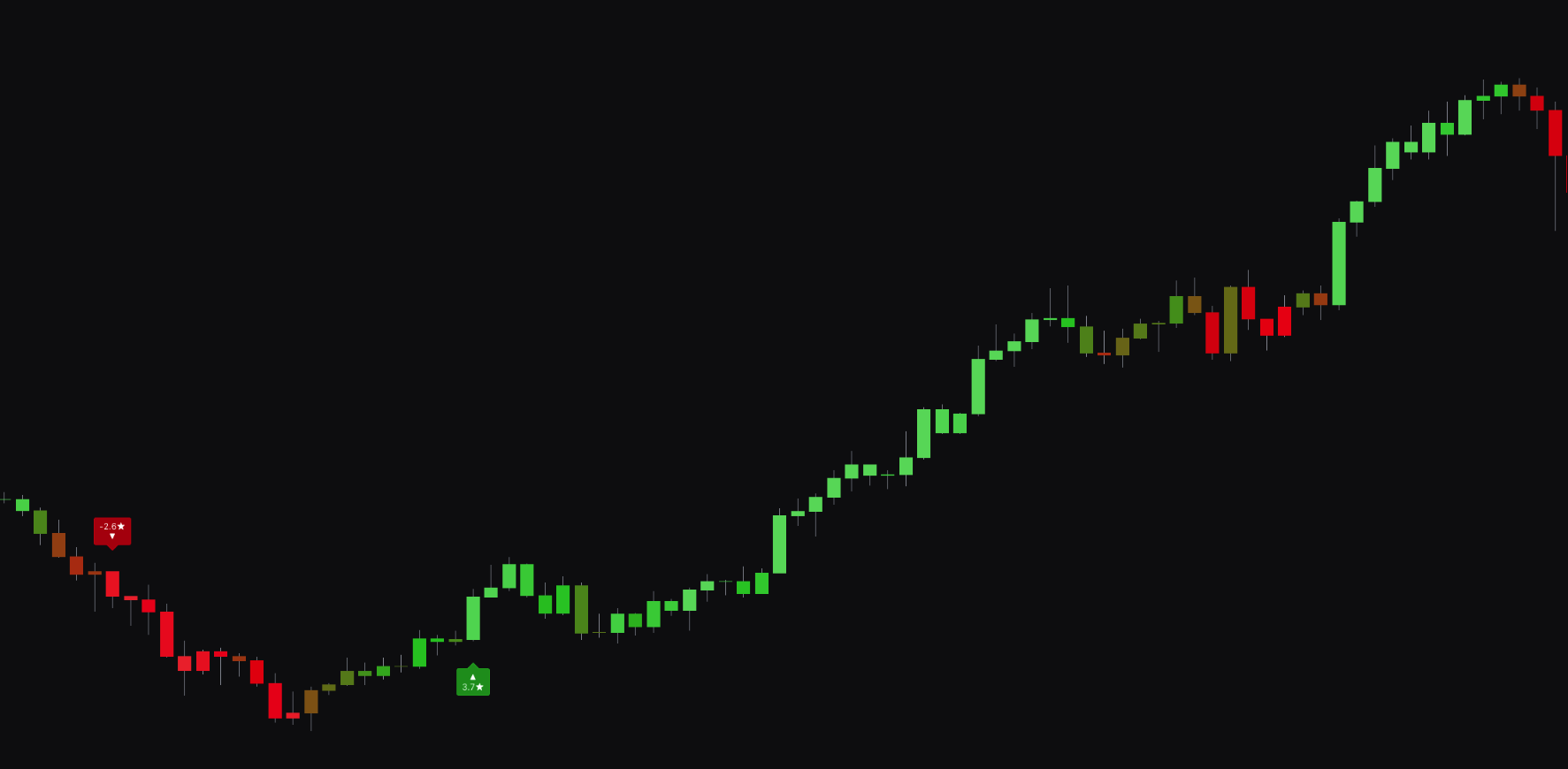
When a signal is generated, Clarity AI gives it a rating from 0 to 5 stars, shown on the signal label. This rating is based on historical data and the current market structure, giving you an instant measure of the signal's confidence.
Settings#
You can set up the Clarity AI engine to match your preferred timeframe and risk tolerance. These settings control the depth of the analysis and the minimum quality needed for a signal to appear on your chart.
| Setting | Description |
|---|---|
| Clarity AI Ratings | Turns on the AI analysis and sets the timeframe for its pattern recognition. Choose Short-term, Mid-term, or Long-term to match your trading style. |
| Clarity AI Minimum Rating | Acts as a filter, hiding any signals below the minimum star rating you set. A higher value gives you fewer, higher-quality signals. |
| Clarity AI Depth | Sets the depth of the AI analysis. Minimum is fastest with a more baseline analysis, Limited (default) balances speed and detail, and Maximum gives the most thorough results but may be slower. |
| Clarity AI Data | Sets the amount of historical data used for the analysis. Minimum is fastest, Limited (default) balances speed and thoroughness, and Maximum is the most thorough but may be slower. |
Best Practices & Usage#
- Filter for higher-quality trades: Set the Clarity AI Minimum Rating to a higher value (for example, 3 or 4) to hide weaker signals. This helps you focus on high-conviction setups and avoid overtrading in uncertain conditions.
- Match timeframe to your strategy: Set the Clarity AI Ratings to your trading style. If you day trade, use Short-term. If you swing trade, use Mid-term or Long-term so the AI analyzes patterns relevant to your timeframe.
- Balance performance and quality: For most users, the Limited setting for Clarity AI Depth and Clarity AI Data balances performance and analytical quality. Use Maximum if you want the most detailed analysis and are not concerned about minor indicator lag.
- Use as a confirmation tool: Even with a low minimum rating, use the star rating on each signal as a guide. A 5-star signal in a key support or resistance zone is a stronger confirmation than a 1-star signal.