AI Liquidation Levels
AI Liquidation Levels is a sophisticated institutional tool designed to identify critical price zones where significant market liquidity rests. These levels represent areas where a
Overview#
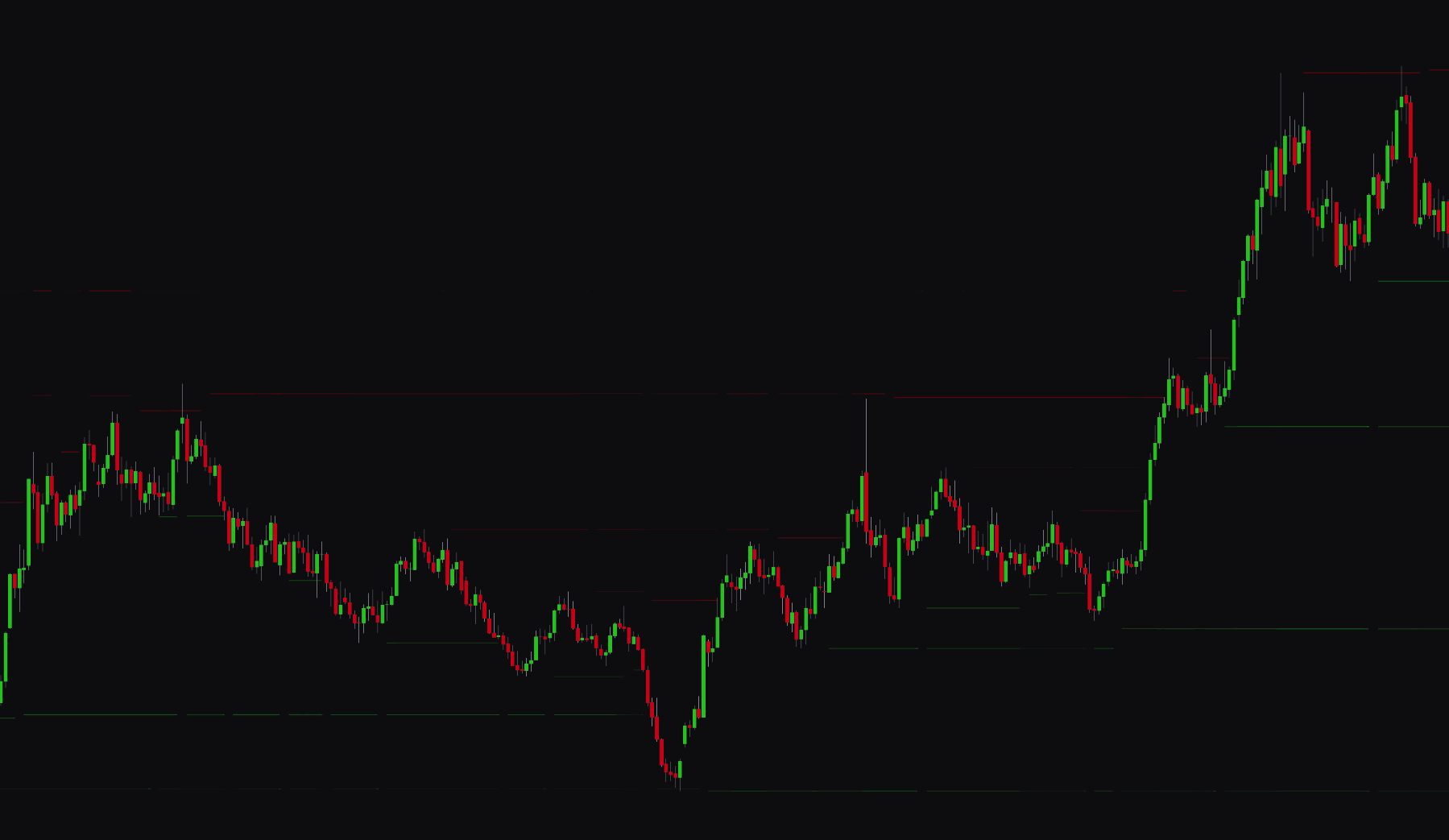
AI Liquidation Levels identifies price zones where market liquidity rests. These levels mark areas where stop-loss orders and liquidation triggers are likely clustered. By showing these zones, you can anticipate high-volatility price reactions, such as sharp reversals (bounces) or breakouts (stop-runs).
The feature finds potential liquidation zones from volume clustering and historical pivot points. Depending on the visualization settings, these zones show where market participants may be forced out of their positions. This helps you spot where stops may run or where price may react with institutional confluence.
Settings#
You can tune the detection and appearance of liquidation zones to match your strategy, whether you look for major macro levels or short-term liquidity pockets.
Detection Logic#
| Setting | Description |
|---|---|
| AI Liquidation Levels | Enables or disables the AI liquidation level detection system. |
| Pivot Length | Sets the sensitivity for pivot detection. Lower values find more frequent, short-term liquidity pockets. Higher values focus on major structural levels. |
| Max Levels (Per Side) | Limits the number of active liquidation zones shown for support and resistance (up to 4 per side). |
| Cluster Threshold (ATR) | Sets the distance used to merge nearby liquidation levels. Expressed as an ATR multiplier to stay consistent across different assets. |
| Volume Decay Rate % | Controls how quickly the weight of older volume clusters drops. High decay favors recent liquidity. 0% treats all historical volume equally. |
| Volume Lookback | Sets the number of bars used to analyze and normalize volume significance. |
Visualization#
| Setting | Description |
|---|---|
| Adaptive Transparency | Adjusts zone opacity based on volume concentration. Levels with higher liquidity appear more opaque, while weaker levels are more transparent. |
| Dynamic Width | Adjusts the vertical thickness of the zone based on volume. Wider zones show a larger area of concentrated liquidity. |
| Support/Resistance Color | Sets the base colors for bullish (support) and bearish (resistance) liquidation zones. |
Best Practices & Usage#
- Identify reversal points: Liquidation zones often act as magnets for price. Look for price to stall or bounce at highly opaque zones where the market has absorbed significant volume.
- Watch for stop runs: When price approaches a major resistance zone, a breakout through it often accelerates as short-sellers are liquidated. These liquidation cascades can be used to enter momentum breakout trades.
- Confluence with Volume Profile: Use AI Liquidation Levels alongside the AI Volume Profile to confirm if a liquidation zone aligns with a High Volume Node (HVN). The presence of both increases the chance of a price reaction.
- Adjust for volatility:
- In choppy markets: Use a lower Pivot Length and higher Cluster Threshold to find broader zones where price might range.
- In trending markets: Use a higher Volume Decay Rate to focus on the most recent liquidity being built in the current trend.
- Risk management: Liquidation levels serve as useful markers for placing your own stop-losses or take-profit targets. Aim to place stops outside of these zones to avoid being swept by stop hunts.